
Chat & video
Rooms with threaded chat, HD video conferencing with screen sharing, and file sharing — included with every Roomler plan, on the same accounts and server.
- collaboration
- chat
- video
- rooms
- overview
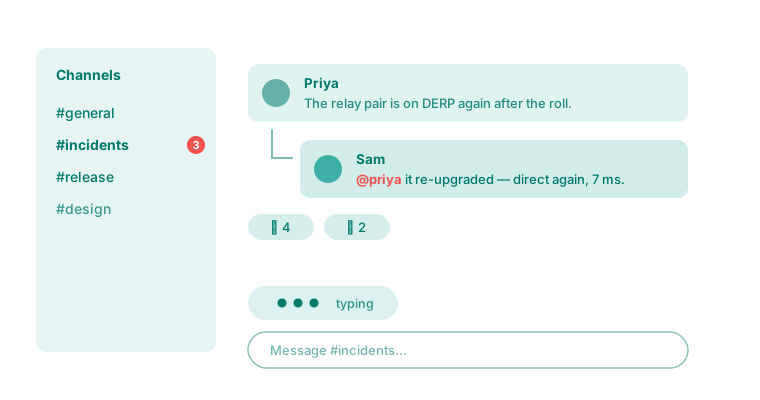
The collaboration layer runs on the same accounts, the same organizations and the same server as everything else. It is included in every plan rather than sold separately, because it costs us nothing extra to run it next to what is already there.
Rooms and chat
— Organised rooms, threaded replies, reactions, mentions and search.
Video conferencing
— HD calls with screen sharing and recording.
Files
— Attachments, per-room libraries and full-text search.
Notifications
— Who gets told what, and where.
Why it is here at all
It is a fair question for a remote-access product. Two reasons, both practical:
If you already have Slack or Teams, you do not have to use any of this — the remote-access and networking pillars stand entirely on their own.
What it is not
- Not a Slack replacement for a large organization. There are no third-party app integrations, and no workflow platform.
- Not a webinar tool. Calls are meetings, not broadcasts to hundreds.
- Not a document editor. Files are shared and searched, not co-edited.
Being clear about that is more useful than overselling it.
In this section
Rooms and chat
Organised rooms with threaded replies, reactions, mentions, rich text and full-text search — the conversation layer that ships with every Roomler workspace.
Video conferencing
HD video calls with screen sharing and recording, built on a selective forwarding unit — and the one networking requirement that catches self-hosters.
Files
Share files in rooms, browse a per-room library, and search across everything — with content types resolved from the bytes rather than the uploader's claim.
Notifications
How Roomler decides who to notify, where — in-app, browser push or email — and how to stop being told about things twice.