
Video conferencing
HD video calls with screen sharing and recording, built on a selective forwarding unit — and the one networking requirement that catches self-hosters.
- collaboration
- video
- calls
- webrtc
- self-hosting
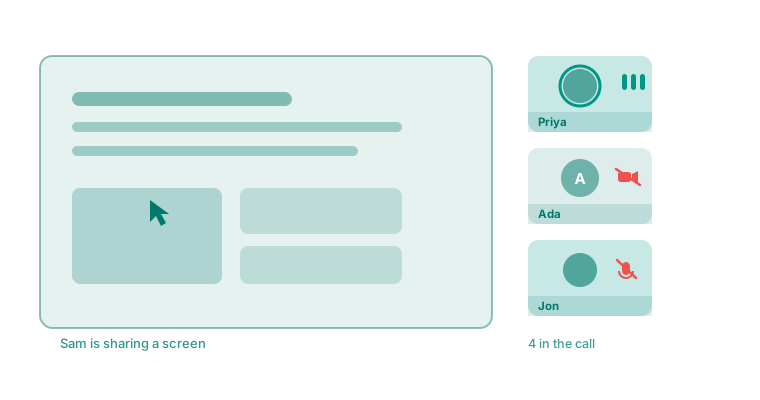
Every room can become a call. Video, audio and screen sharing, in the browser, with nothing to install.
Starting a call
Open a room and start a call; everyone in the room can join. Participants see each other in a grid, with the active speaker highlighted, and can pop a participant out to focus on them.
Screen sharing
— Share a window, a screen or a tab.
In-call chat
— The room’s chat stays available during the call.
Camera and mic state
— Everyone can see who has muted or turned their camera off, rather than staring at a frozen frame.
How it works
Calls use a selective forwarding unit: each participant sends their stream once to the server, which forwards it to the others. That is what makes a call with several people practical — the alternative would have every participant send a separate copy to every other participant.
Calls are the one place the server IS in the media path
Everywhere else — remote desktop, tunnels, SSH, the mesh — traffic is peer-to-peer or passes through a relay as ciphertext. Conferencing is different by necessity: a forwarding unit has to receive and re-send the media.
If that distinction matters for your threat model, it is worth knowing which feature is which. The rest of the product does not work this way.
Browser support
Calls work in current Chromium browsers, Firefox and Safari. So does the remote-desktop viewer, where Chromium browsers are the recommendation (they have had the most testing) and Safari and Firefox work too.
Self-hosting: the one thing that catches people
Signalling can look perfect while no video arrives
Conference media does not go through your reverse proxy. Browsers send it straight at an address the server advertises, on a UDP port range. If that address is wrong, or the ports are not reachable, everything about joining a call succeeds and no picture ever appears.
A successful transport connect proves only that the browser sent its parameters. It says nothing about whether packets can flow.
Two settings decide it — the announced address and the RTC port range. On Linux, host networking is the clean answer. See self-hosting for the specifics.
A useful symptom to recognise
If video works for some people in your organization and not others, suspect the media path on a specific server node rather than the application. On a multi-node deployment, users are grouped onto nodes — so a node missing its media forwarding rules breaks a consistent subset of people while everyone else is fine.
Limits by plan
On the Free plan a meeting holds up to 10 people and runs for up to 60 minutes. Everyone in it sees a notice five minutes before the end, and at 60 minutes the meeting ends for everyone; starting it again begins a new meeting. Paid plans hold more people and have no time limit. See pricing.